The best forex brokers for automated EAs & trading bots are StarTrader, Vantage, and Deriv. In our list, we compare the most competitive automated forex brokers for automated Expert Advisors and trading bots in our expert WR Trading review. Our forex trading team looked at each broker by checking supported platforms, automation permissions, VPS, API access, spreads, commissions, leverage limits, currency pairs, and customer support.
Find here our top 10 Forex Brokers for Automated Trading (EAs & Bots) in the table below:
Broker:
Automated Trading:
Advantages:
Account:

Yes, EAs And Trading Bots Supported
- Copy Trading Supported with 50% Profit Share
- Leverage up to 1:1000
- Fast execution
- Attractive Bonus Programs
- Low Fees
- MT4 / MT5
- Support EA Trading

Yes, EAs And Trading Bots Supported
- Spreads from 0.0 Pips
- Copy Trading available
- Leverage up to 1:500
- Low Commission from 1.5$/1 Lot
- High liquidity and fast execution
- TradingView, MT4/5, Pro Trader
- User-Friendly Trading App

Yes, EAs And Trading Bots Supported +Own Bot Software
- Fast execution speed (60 ms)
- Spreads from 0.1 pips
- No commissions on standard accounts
- Deriv Trader, SmartTrader, DMT5
- Multiple regulations
- 24/7 support
- Own Bot Trading Software (DBOT)

Yes, EAs And Trading Bots Supported
- Instant ECN Execution
- Spreads from 0.0 Pips
- Low Commissions From $3.00/1 Lot per Trade
- 24/7 Personal Support
- MT4/MT5, cTrader, TradingView
- Low Minimum Deposit
- Highly regulated
- Many account currencies

Yes, EAs And Trading Bots Supported
- No minimum deposit required
- Real ECN and Deep Liquidity
- More than 26,000 Markets
- Spreads From 0.0 Pips
- Leverage up to 1:500
- TradingView, MT4/MT5, cTrader

Yes, EAs And Trading Bots Supported
- Different ECN Accounts
- Spreads from 0.0 Pips
- Copy Trading available
- Leverage up to 1:2000
- Low Commission from 6$/1 Lot
- High liquidity and fast execution
- MT4/MT5/RTrader
- Best IB Program For Networks

Yes, EAs And Trading Bots Supported
- $50 Minimum Deposit
- Spreads from 0.0 Pips
- Leverage up to 1:500
- Low Commission from 3$/1 Lot
- 1,000+ Markets
- TradingView, MT4/5, App
- $1,000,000 Insurance

Yes, EAs And Trading Bots Supported
- Multiple-regulated broker
- High Leverage up to 1:1000
- Multiple account types
- More than 1,000 trading instruments
- ECN Trading
- Copy Trading Supported

Yes, EAs And Trading Bots Supported
- ECN/STP Accounts
- Spreads from 0.0 Pips
- Leverage up to 1:1000
- Low Commission from 3$/1 Lot
- High liquidity and fast execution
- MT4/5 and Pro Trader

Yes, EAs And Trading Bots Supported
- Regulated by multiple authorities
- Spreads from 0.0 Pips
- Leverage up to 1:500
- Commission from $3 per lot
- Fast execution (0.15 sec)
- MT4, MT5, Tickmill App
List of the Top 10 Forex Brokers for Automated EAs & Trading Bots
Automated EAs and trading bots trade on behalf of the trader using a defined set of rules, scanning charts to identify profitable opportunities, opening and closing positions, and managing risk without manual input while still following the trader’s logic.
Below is our list of the top 10 forex brokers for automated EAs and trading bots, tested for their trading conditions that enable smooth automation in live markets. These brokers were selected based on platform support, bot permissions, spreads, commissions, execution quality, demo accounts, currency pairs, leverage, customer support, and educational content.
- StarTrader – Best for EAs and trading bots through MT4 and MT5, plus copy trading through StarTrader Copy
- Vantage – Best for MT5 EA development and testing, supporting building EAs in MQL5 and strategy testing features
- Deriv – Best for no-code bots using Deriv Bot plus the Deriv API for custom automation
- FP Markets – Best for broker-provided VPS access that supports MT4, MT5, and cTrader automation
- BlackBull – Best for cTrader Automate, as you can build and run cBots in C#
- RoboForex – Best for free VPS once you meet its monthly trading volume condition
- VT Markets – Best for MAM automation since EAs can be used across managed sub-accounts
- PU Prime – Best for scalping style bots
- Moneta Markets – Best for fast execution bots with speeds of under 15ms
- Tickmill – Best for FIX API access if you run advanced algorithmic setups and meet the requirements
1. StarTrader – Best for EAs and trading bots through MT4 and MT5, plus copy trading through StarTrader Copy
StarTrader is our best forex broker at WR Trading that automates forex trades, rated 5/5 stars, because it’s built on MetaTrader signals automation and offers copy trading with up to 50% profit share. We found the broker supports Expert Advisors on MT4, including the normal EA workflow of installing, configuring, and running rules-based systems on your charts. That’s important in our opinion because many retail forex bots use MT4 or MT5, so you can bring an existing EA library across without rebuilding your stack.
Pricing is positioned for active trading through its ECN account, with spreads starting from 0.0 pips and a commission of $6 per lot traded, which is the type of structure we prefer for bot traders. Pair selection is also broad for building multi-pair automation bots because you can trade over 80 forex pairs, giving you enough room to run different strategies on majors, minors, and selected exotics.
A limitation we found is that EAs need the terminal running to execute, so you either keep a desktop online or use a VPS setup to avoid downtime. Getting that right early matters because bot performance can fall apart from missed trades and disconnects, even when the strategy logic is solid.
| Feature | Information |
|---|---|
| Eligible for Automated EAs and Trading bots? | Yes |
| Copy Trading | Yes, with up to 50% profit share |
| Spreads and Commission | Varies based on account: Spread – from 0.0 pips Commission – from 0% to $6 per lot |
| Trading Platforms | Web Trader, MetaTrader 4 and MetaTrader 5 |
| Asset Types | Forex, commodities, indices, shares, crypto |
| Tradable Assets | Over 1000 |
| Currency Pairs | Over 80 |
| Leverage | Up to 1000:1 |
| Customer Support | 24/5 phone, email, and live chat |
| Demo Account | Yes |
| Mobile App | iOS and Android |
| Educational Content | Trading guides, webinars, and market insights |
| Regulation | ASIC, CMA, FSCA, and VFSC |
2. Vantage – Best for MT5 EA development and testing, supporting building EAs in MQL5 and strategy testing features
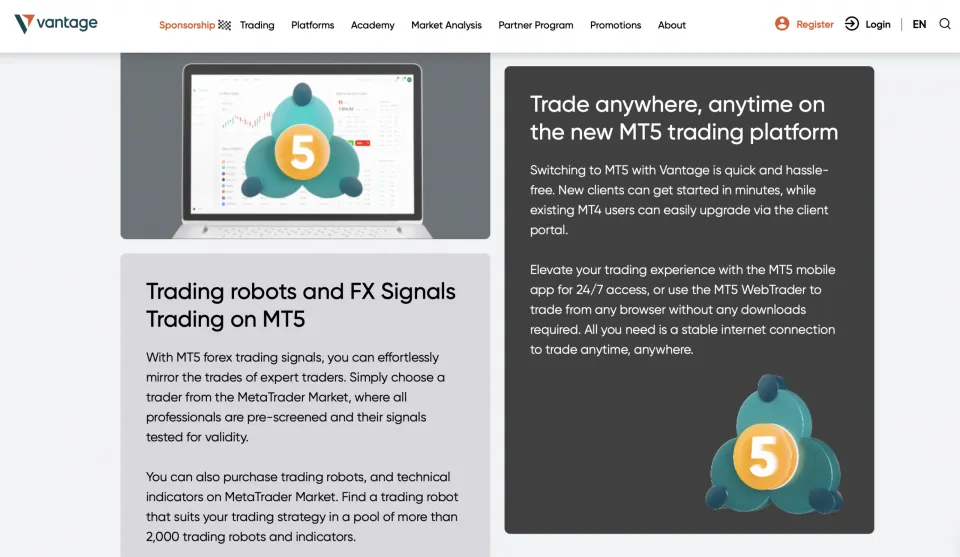
Vantage is our 2nd go-to choice at WR Trading for traders who want to build, edit, and test MT5 Expert Advisors in MQL5 before letting them trade live. Vantage publishes MT5 education that focuses on automated trading bots, including using the MT5 Strategy Tester to backtest EAs, which is a big advantage in our view when you are developing bots and need information from historical runs.
We liked that the cost structure is clear on the Raw ECN account because Vantage lists spreads from 0.0 and a $3 commission per standard lot per side, so you can model transaction costs accurately during testing and then compare your backtest assumptions against live logs. That kind of fixed-commission math helps when evaluating an EA that trades frequently because minor cost errors can flip a strategy from profitable to unprofitable over a large sample.
Vantage offers over 40 currency pairs for trading with bots, with leverage up to 500:1. Also, you have access to other trading platforms than MT5, such as MT4, the Vantage App, TradingView, and ProTrader. Another aspect we liked about Vantage is that you deploy your bots for others to copy and earn up to 50% of the profits.
| Feature | Information |
|---|---|
| Eligible for Automated EAs and Trading bots? | Yes |
| Copy Trading | Yes, with up to 50% profit share |
| Spreads and Commission | Varies based on account: Spread – from 0.0 pips Commission – From $1.50 per lot |
| Trading Platforms | Vantage App, MetaTrader 4, MetaTrader 5, TradingView, and ProTrader |
| Asset Types | Forex, stocks, indices, commodities, bonds, and ETFs |
| Tradable Assets | Over 1,000 |
| Currency Pairs | Over 40 |
| Leverage | 500:1 |
| Customer Support | Email, live chat, and phone support |
| Demo Account | Yes |
| Educational Content | Courses, webinars, and ebooks |
| Regulation | ASIC, FCA, FSCA, and CIMA |
3. Deriv – Best for no-code bots using Deriv Bot plus the Deriv API for custom automation
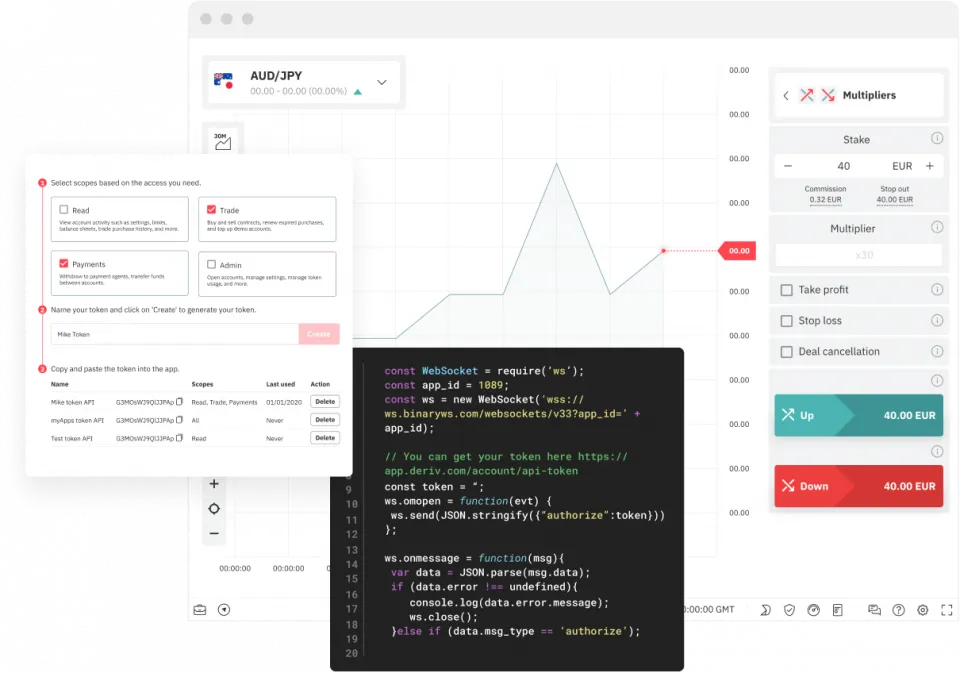
In our expert opinion, at WR Trading Deriv is best for no-code forex bots because Deriv Bot is a visual builder that lets you create automated DBots with drag and drop logic blocks, so you can design entries, exits, and risk rules without writing code. That approach is useful when you want to automate a simple ruleset fast, then refine it into something more advanced after you see how it behaves in live markets.
Deriv also offers the Deriv API, which is the step-up option when you want custom automation outside the platform, such as your own execution scripts, external risk controls, or a bot that manages multiple pairs from one engine. The broker offers over 30 currency pairs and leverage up to 1:1000, and it has zero commissions on Deriv MT5.
During our testing, we found that no code bots can hit a ceiling once you want more complex execution logic, richer risk controls, or unusual order handling, so we recommend it as a starting point for beginners. The benefit of using Deriv is that it gives you both paths, but moving from Deriv Bot to full API automation still requires time and technical skill once your goals move beyond basic automation.
| Feature | Information |
|---|---|
| Eligible for Automated EAs and Trading bots? | Yes |
| Copy Trading | Yes, with up to 30% profit share |
| Spreads and Commission | Varies based on account: Spread – from 0.00015 points Commission – 0% |
| Trading Platforms | Deriv Trader and Deriv MetaTrader 5 |
| Asset Types | Forex, stocks, indices, commodities, cryptocurrencies, and ETFs |
| Tradable Assets | Over 300 |
| Currency Pairs | Over 60 |
| Leverage | 1000:1 |
| Customer Support | Email, live chat, and WhatsApp |
| Demo Account | Yes |
| Educational Content | Deriv blog |
| Regulation | ASIC, FSCA, FSA, FSC, and CySEC |
4. FP Markets – Best for broker-provided VPS access that supports MT4, MT5, and cTrader automation
FP Markets is best for traders who want their EAs to keep running 24/7 without relying on a home computer, as the broker offers VPS hosting for MT4, MT5, and cTrader. VPS matters for automation because it reduces downtime risk and keeps execution more stable during active sessions when an EA is managing open positions. Also, you have the option to share your bot via copy trading and earn 50% of the profits.
FP Markets provides fast and reliable execution speeds across over 60 currency pairs on MT4 and MT5, and its Raw pricing is straightforward, with commissions of $3 per lot and spreads from 0.0 pips. That structure is easy to model inside an EA because you can choose spread-only pricing or raw spread plus commission, depending on how your strategy behaves around costs.
However, VPS setups still require a basic understanding of operations, as you need to keep terminals updated, confirm the EA is connected correctly, and monitor logs after platform restarts. We liked that FP Markets provides content to ensure you set up the trading bot correctly, and you can contact support for more assistance.
| Feature | Information |
|---|---|
| Eligible for Automated EAs and Trading bots? | Yes |
| Copy Trading | Yes, with up to 50% profit share |
| Spreads and Commission | Varies based on account: Spread – from 0.0 pips Commission – From no commission to $3 per lot |
| Trading Platforms | MetaTrader 4, MetaTrader 5, cTrader, TradingView, IRESS, and WebTrader |
| Asset Types | Forex, stocks, indices, commodities, cryptocurrency, and ETFs |
| Currency Pairs | Over 60 |
| Tradable Assets | Over 10,000 |
| Leverage | 500:1 |
| Customer Support | Email, live chat, and phone support |
| Demo Account | Yes |
| Educational Content | Video tutorials and trading glossary |
| Regulation | ASIC, FSCA, FSA, FSC, and CySEC |
5. BlackBull – Best for cTrader Automate, as you can build and run cBots in C#
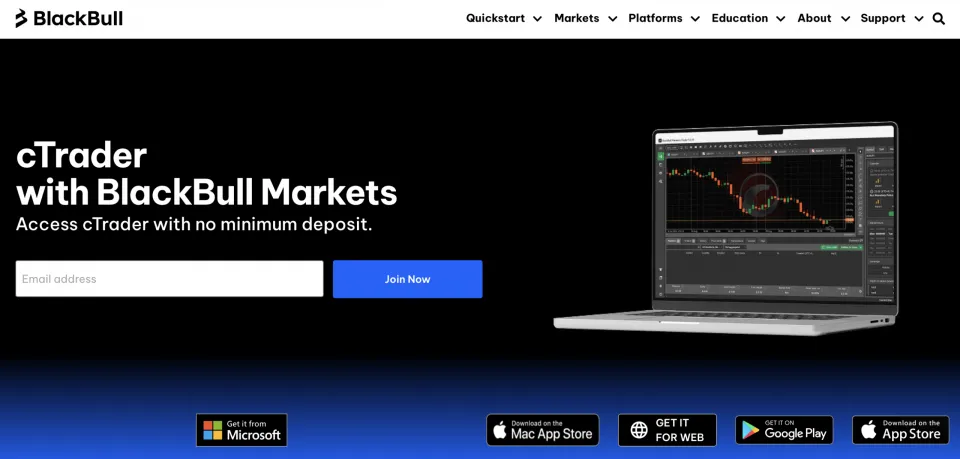
BlackBull, we recommend to traders who prefer building bots in C# because cTrader’s automation environment is built around cBots, and that development style is directly supported in the cTrader Algo workflow. BlackBull also publishes cTrader-focused education that explains creating and backtesting cBots, which makes the broker feel more aligned with traders who code their own automation.
BlackBull’s fees are ideal for low slippage trading bots with spreads from 0.0 pips. Its ECN Prime account commission is $3 per side per $100,000 traded, which lets you estimate costs precisely when your cBot is trading high-frequency patterns.
We advise starting small and seeing what works, as cBots can tempt traders into running complex systems before they have strong monitoring and risk controls in place, since coding makes it easy to add features that look good on paper but add fragility. Before deploying your custom trading bot, consider using BlackBull’s demo account to test how it would have performed in a live setting.
| Feature | Information |
|---|---|
| Eligible for Automated EAs and Trading bots? | Yes |
| Copy Trading | Yes, profit share set by the trading bot provider |
| Spreads and Commission | Varies based on account: Spread – from 0.0 pips Commission – From no commission to $6 per lot |
| Trading Platforms | MetaTrader 4, MetaTrader 5, MetaTrader Web Trader, cTrader, TradingView, and BlackBull Trade |
| Asset Types | Forex, commodities, indices, cryptocurrencies, futures, and stock |
| Tradable Assets | Over 26,000 |
| Currency Pairs | Over 70 |
| Leverage | 500:1 |
| Customer Support | Email, live chat, and phone support |
| Demo Account | Yes |
| Educational Content | Webinars, tutorials, and education hub |
| Regulation | Financial Services Authority in Seychelles |
6. RoboForex – Best for free VPS once you meet its monthly trading volume condition
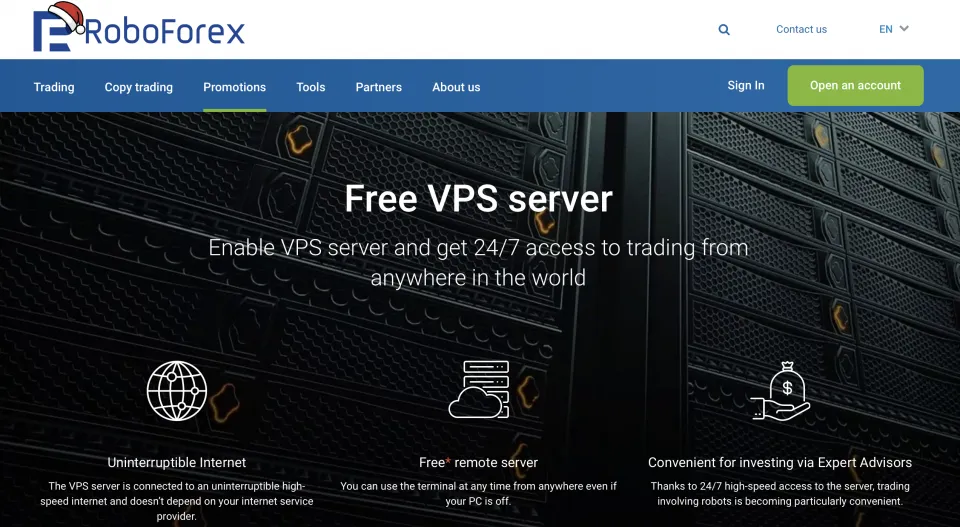
RoboForex is a great option if you want a VPS tied to a clear monthly trading volume target. We found that RoboForex states that VPS access is free once your monthly volume reaches 3 standard lots, and $300 is required to qualify for a server. The VPS hardware configuration is 1 CPU core, 1GB of RAM, 30gb HDD, uses a 2019 Windows server, and connects via RDP.
Automation support is built around MetaTrader 4 and MetaTrader 5, so Expert Advisors can be installed and run through the standard MetaTrader workflow. Tight spreads start from 0.0 pips and a commission based on per million traded. RoboForex lists over 40 currency pairs and leverage up to 2000:1, which gives room for position sizing across different EA styles and account sizes.
| Feature | Information |
|---|---|
| Eligible for Automated EAs and Trading bots? | Yes |
| Copy Trading | Yes, with up to 50% profit share |
| Spreads and Commission | Varies based on account: Spread – from 0.0 pips Commission – from 10/ mio |
| Trading Platforms | MetaTrader 4, MetaTrader 5, and R Stocks Trader |
| Asset Types | Stocks, indices, futures, ETFs, commodities, and forex |
| Tradable Assets | Over 12,000 |
| Currency Pairs | Over 40 |
| Leverage | 2000:1 |
| Customer Support | Email, live chat, and phone support |
| Demo Account | Yes |
| Educational Content | None |
| Regulation | Financial Services Commission (FSC) of Belize |
7. VT Markets – Best for MAM automation since EAs can be used across managed sub-accounts
VT Markets is best for traders who want to run a single automated strategy across multiple sub-accounts, as its MAM setup is built to manage and execute across many client accounts from a single control point. That structure works well with automation if you control multiple investor accounts. It also explains how Expert Advisors execute trades on behalf of traders inside the MetaTrader environment, which is helpful for the initial setup phase.
On forex coverage, VT Markets offers access to more than 40 currency pairs with leverage up to 500:1. Cost-wise, VT Markets Raw ECN conditions have spreads from 0.0 pips and a $6 commission per standard lot round turn, so automated traders can forecast costs more accurately. Also, if you have a successful trading bot, you can share it on the copy trading platform to earn up to 50% of the profits.
| Feature | Information |
|---|---|
| Eligible for Automated EAs and Trading bots? | Yes |
| Copy Trading | Yes, with up to 50% profit share |
| Spreads and Commission | Varies based on account: Spread – from 0.0 pips Commission – From no commission to $6 per lot |
| Trading Platforms | MetaTrader 4, MetaTrader 5, Webtrader, and VT Markets app |
| Asset Types | Forex, stocks, indices, ETFs, bonds, and commodities |
| Tradable Assets | Over CFDs 1,000 |
| Currency Pairs | Over 40 |
| Leverage | 500:1 |
| Customer Support | Email, help center, and live chat. |
| Demo Account | Yes |
| Educational Content | VT Markets Academy |
| Regulation | ASIC, FSCA, and Mauritius FSC |
8. PU Prime – Best for scalping style bots
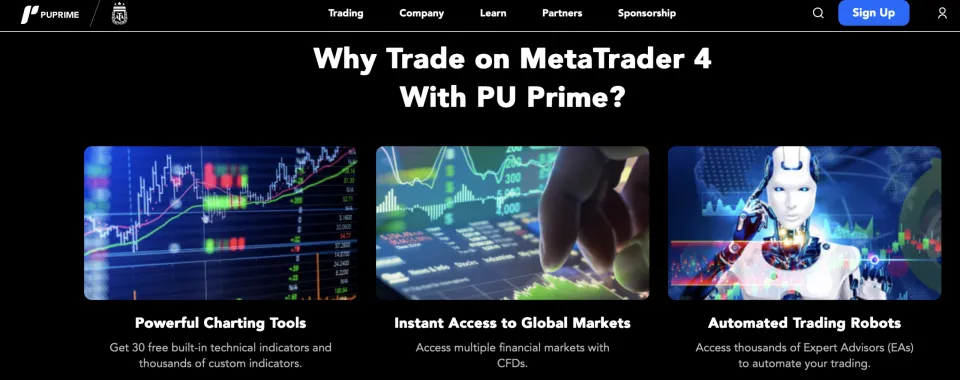
PU Prime is our favorite choice for scalping-style bots because it supports MetaTrader 4 and MetaTrader 5 and does not restrict clients from using Expert Advisors, allowing a trader to run a rules-based scalper directly in the terminal environment. Trading access also includes the reliable and efficient PU Prime App and WebTrader, which help you monitor open positions and margin while the bot logic runs on a MetaTrader terminal.
Fees depend on account choice, so the cost model can be matched to a high turnover scalper: Standard is commission-free with spreads from 1.3 pips, Prime has spreads from 0.0 pips with a $3.5 per side per lot commission, and ECN has spreads from 0.0 pips with a $1 per side per lot commission. PU Prime lists over 50 forex pairs, which is enough coverage to run multiple scalpers across majors, minors, and some exotics without forcing a one-pair approach.
Leverage can be set as high as 1:1000 through the client portal, but PU Prime also states that a 1:1000 setting is automatically reduced to 1:500 once equity exceeds $20,000. Several forex pairs have much lower fixed leverage caps, which can interfere with a bot that sizes positions using a single margin assumption. We found that PU Prime does not provide an Expert Advisor, so traders need to source, build, or maintain the bot logic themselves rather than relying on broker-supplied trading automation.
| Feature | Information |
|---|---|
| Eligible for Automated EAs and Trading bots? | Yes |
| Copy Trading | Yes, with up to 50% profit share |
| Spreads and Commission | Varies based on account: Spread – from 0.0 pips Commission – From no commission to $3.50 per lot |
| Trading Platforms | PU Prime App, MT4, MT5, and WebTrader |
| Asset Types | Crypto, forex, commodities, shares, bonds, indices, and ETFs |
| Tradable Assets | Over 1,000 |
| Currency Pairs | Over 50 |
| Customer Support | Live chat, email, phone call, and help center |
| Demo Account | Yes |
| Educational Content | Pu Prime Trading Education Hub |
| Regulation | FSA, FSC, and FSCA |
9. Moneta Markets – Best for fast execution bots with speeds of under 15ms
Moneta Markets provides fast-execution bots that achieve orders under 15 ms in our testing, and it positions its infrastructure to connect platforms to nearby Equinix data centres, which is relevant when an EA depends on quick fills and tight slippage control. MetaTrader 4, MetaTrader 5, and ProTrader are available, and Moneta also promotes copy trading through its CopyTrader app, so automation can be handled through EAs or mirrored strategies, depending on your trading style.
The Prime ECN account offers spreads as low as 0.0 pips, a $3 per lot fee, and is suitable for scalpers and EAs, in our expert opinion. The lowest commission tier is $1 per lot with the Ultra ECN account, but it requires a higher minimum deposit of $20,000 and limits leverage to 500:1.
Moneta Markets has over 45 FX pairs, and leverage can reach up to 1000:1 depending on the account type, giving enough room to run multi-pair bots without running into immediate margin limits on small accounts. Another aspect we liked is the helpful customer support that can assist with the account and bot creation process.
| Feature | Information |
|---|---|
| Eligible for Automated EAs and Trading bots? | Yes |
| Copy Trading | Yes, with up to 50% profit share |
| Spreads and Commission | Varies based on account: Spread – from 0.0 pips Commission – from no commission to $3 per lot |
| Trading Platforms | MetaTrader 4, MetaTrader 5, Pro Trader, and MT4 WebTrader |
| Asset Types | Forex, commodities, indices, ETFs, bonds, and stocks |
| Tradable Assets | Over 1,000 |
| Currency Pairs | Over 45 |
| Leverage | 1000:1 |
| Customer Support | Email, live chat, and phone support |
| Demo Account | Yes |
| Educational Content | Blogs and guides |
| Regulation | FCA, FSCA, FSC, Cayman Islands Monetary Authority, and Financial Sector Conduct Authority |
10. Tickmill – Best for FIX API access if you run advanced algorithmic setups and meet the requirements
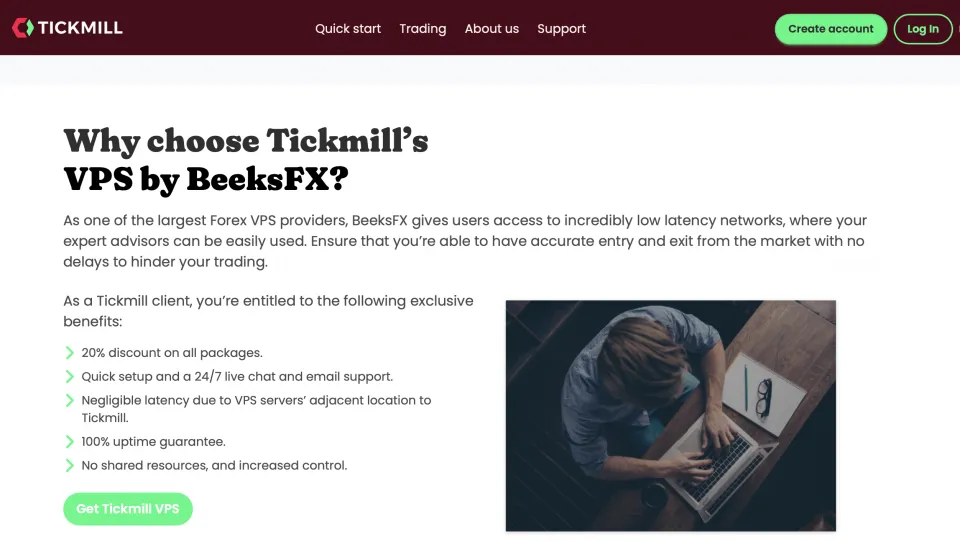
Tickmill is the strongest automated trading platform for FIX API access in our list because we found they publicly state that they offer FIX API connectivity to large private and institutional clients. It displays the entry requirements: a minimum account balance of 500,000 in GBP, USD, or EUR, plus a minimum monthly commission generation of 5,000 in those currencies, with no demo version for FIX.
Traders who qualify can run execution from their own external infrastructure instead of relying only on a terminal-based EA workflow, which matters when the strategy stack includes custom order routing, risk layers, and monitoring outside MetaTrader. Fees and market coverage are spreads from 0.0 pips, a $3 per lot per side commission, maximum leverage of 1:1000, and CFDs on over 62 currency pairs.
Tickmill also offers VPS access through a partnership with BeeksFX focused on running Expert Advisors around the clock and reducing downtime. Retail algo traders who do not meet Tickmill’s FIX API thresholds still have full access to automation through MetaTrader 4 and MetaTrader 5.
| Feature | Information |
|---|---|
| Eligible for Automated EAs and Trading bots? | Yes |
| Copy Trading | Yes, with up to 50% profit share |
| Spreads and Commission | Varies based on account: Spread – from 0.0 pips Commission – From no commission to $3 per lot |
| Trading Platforms | MetaTrader 4, MetaTrader 5, MetaTrader Web Trader, and TickMill App |
| Asset Types | Forex, stocks, indices, commodities, bonds, and cryptocurrency |
| Currency Pairs | Over 62 |
| Tradable Assets | Over 1,000 |
| Leverage | 1000:1 |
| Customer Support | Email, live chat, and phone support |
| Demo Account | Yes |
| Educational Content | Infographics, tutorials, articles, webinars, and ebooks |
| Regulation | CySEC, FSA, FCA, SCA, DFSA, Labuan FSA, and FSCA |
How We Tested Forex Brokers for Automated Trading:
Our expert team followed a clear set of testing criteria to identify the best forex brokers for automated EAs and trading bots. Testing focused on the features and trading conditions that decide how smoothly an automated software runs once it is live, including the platforms that support automation, broker rules that allow bots to trade without interruptions, spreads, commissions, and execution quality. Here’s an in-depth look at what we focused on during our reviews:
Automation-ready platforms
We tested each broker by checking which platforms it offers and how automation is handled on those platforms. Bot trading can mean running your own Expert Advisors on MetaTrader 4 or MetaTrader 5, coding bots through cTrader Automate, or using a broker-provided automation service that is already set up.
Brokers ranked higher when they offered more than one practical way to automate trades, such as full EA support, signal-based automation, or a built-in bot tool that lets traders launch an existing strategy and adjust rules without building everything from scratch.
Bot permissions and trading rules
We reviewed each broker’s terms and trading rules to assess how friendly they are to automated strategies once the account is live. Brokers ranked higher when they allow Expert Advisors and bots to place, modify, and close orders freely, including during active sessions where volatility and order flow increase.
Automated systems need consistent order handling to follow their rules without workarounds. Lower scores went to brokers that impose constraints that can disrupt bot logic, such as limits on high-frequency order activity, restrictions on short-hold-time strategies, or rule sets that make certain execution styles harder to run smoothly.
Spreads and commissions
We looked at costs by comparing spreads and commissions across the main account types since automated strategies place enough trades that small cost differences impact profit potential over a month. Brokers ranked higher when pricing was transparent and competitive for forex, with a clear commission model on raw spread accounts or reasonable spread-only pricing on standard accounts.
Execution and order handling
Execution was assessed by focusing on how each broker processes orders when a bot sends entries and exits quickly, because automated systems react instantly to their rules and cannot pause to confirm prices manually. Brokers scored better when their execution setup supports fast market order processing, offers no requotes, and provides clear handling for slippage and order fills, so a strategy can behave as designed under normal and volatile conditions.
VPS support and uptime tools
We checked VPS availability as many traders rely on continuous runtime, and a bot that stops due to a local connection issue can turn a profitable strategy into unmanaged risk. Our team ranked brokers higher when VPS access was available, since reliable hosting reduces downtime and helps keep automated EAs and trading bots running during overnight sessions and active trading hours.
API access and external automation
Our team reviewed API availability for traders who run bots outside the trading platform and send orders from their own software stack. We rated brokers higher when they offer API trading with documented access, stable connectivity, and realistic entry requirements, so advanced traders can connect custom execution engines, risk controls, and monitoring tools.
Currency pair range and leverage rules
Another aspect we looked into is how many currency pairs are available and how leverage is applied across those pairs and account types. Brokers scored better when pair coverage is broad to run multi-pair bots and diversify signals, while leverage limits are high enough that the broker supports a big range of position sizing needs across different strategies and account sizes.
Customer support for automation issues
We contacted customer support of each broker, focusing on how quickly and clearly they can help with automation-related questions, such as platform setup for Expert Advisors, VPS access, API requirements, margin and leverage rules, and execution settings that affect automated orders. We gave points to brokers when support is easy to reach through multiple channels, and responses are specific and accurate.
Which Platforms Are Provided by Forex Brokers for Automated Trading?
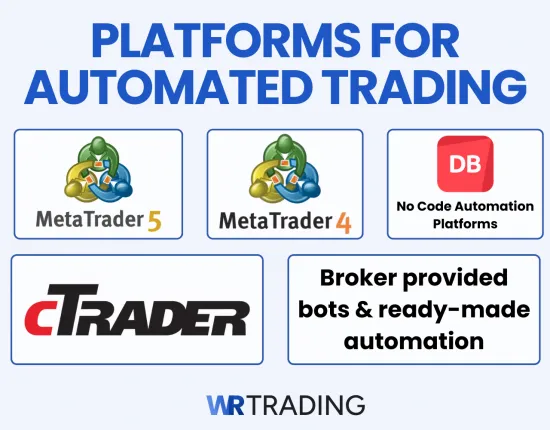
Forex brokers support automated Expert Advisors (EAs) and trading bots through a few main platforms, and the right choice depends on how you want to build and run your automated trading. Some traders want a classic terminal where an EA runs within the platform, others prefer a coding environment built on C#, while others want a no-code tool or a ready-made bot that can be launched quickly.
Platform choice matters because it affects how you develop rules, how you test them, and how easy it is to keep automation running reliably. Here are the best platforms to use for trading bots in our expert opinion:
1. MetaTrader 4
MetaTrader 4 is one of the most common choices for automated forex trading because Expert Advisors run directly inside the platform and can execute trades without extra software. Traders use it when they want an EA to handle entries, exits, stop loss updates, and trade management rules in a familiar terminal that stays simple to operate while you monitor results.
MT4 also attracts traders who prefer choice and flexibility, as the EA ecosystem is large and it’s easy to find existing tools to test, buy, or customise. Many traders run MT4 automation on a VPS that many brokers provide through partnerships.
2. MetaTrader 5
MetaTrader 5 also supports Expert Advisors, but it’s preferred by traders who want a more in-depth development and testing workflow before putting automation on a live account. Strategy testing tools are more advanced than what many traders are used to on MT4, which helps when you are refining rules, checking risk behaviour, and validating an EA across different market conditions.
Moreover, MT5 is a practical choice in our view when building new automation and want to avoid being tied to older tooling since the platform is more modern and the ecosystem continues to grow. An important point is that MT4 EAs do not run on MT5 without being rebuilt, so platform choice affects how much work it takes to reuse an existing EA library.
3. cTrader
cTrader supports automated trading through cTrader Automate, where bots are built as cBots using C#, so it suits traders who prefer that programming approach over the MetaTrader style. We recommend cTrader for a cleaner development structure, clear order management controls, and a modern interface that makes monitoring automated trades easier.
cTrader can also be a good fit when a trader wants to keep manual trading separate from automation, since the workflow for building and running cBots feels more like a dedicated automation environment. Broker availability is not as universal as MetaTrader, so traders usually choose it after confirming their preferred broker supports cTrader and the account conditions match the automation style they plan to run.
4. No code automation platforms
Some brokers offer no-code automation platforms that let you build rule-based automation using visual blocks rather than writing code, and Deriv Bot is a clear example of this style. DBot lets you assemble trading logic with drag and drop blocks, so you can automate entries, exits, and risk settings without learning a programming language or buying a third-party EA.
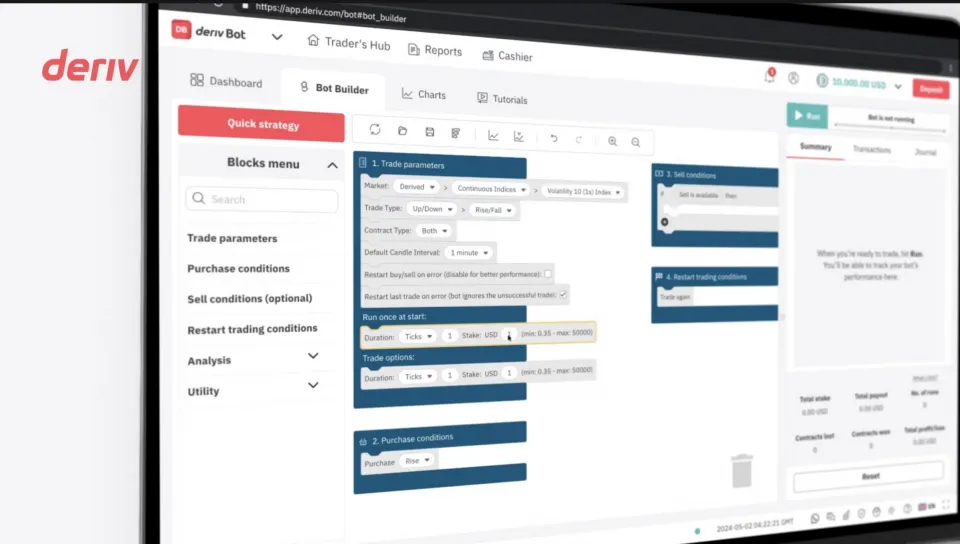
No code builders work best when the trading rules are clear and straightforward, such as indicator-based filters, breakout triggers, or trend rules paired with fixed risk settings. More complex logic can become harder to express in a visual builder, so many traders start with no-code automation to launch an idea of a strategy, then move to coded automation once they need deeper control over every rule.
5. Broker provided bots and ready-made automation
Some brokers provide ready-made automation that is already configured, including preset bot templates and built-in strategy modules that let you get started quickly. Copy trading is also part of this category in practice, as some brokers allow users to copy other traders’ bot settings.
These options appeal to traders who want speed and convenience but they come with trade-offs in control and transparency. Many brokers provide tools that limit how deeply you can change the logic, and performance depends heavily on the template or provider you choose.
So we recommend moving to an EA on MT4 or MT5, or a coded cBot on cTrader once you gain an understanding of how trading bots function.
What Methods Can Be Used on Forex Brokers for Automated Trading?
Automated trading can be set up in several ways, depending on how much control you want over the rules and how hands-on you want to be after trades are placed. Here are the main ways we found you can set up your trading bots:
- Fully coded automation: Build or buy an EA or bot with fixed rules for entries, exits, and risk management, then let it trade automatically based on those rules. Traders choose this method when they want full control over the logic and the ability to fine-tune every detail.
- Ready-made bot templates: Use a preset automation template and adjust settings such as risk per trade, session filters, and trade management rules. This approach we recommend to traders who want a faster setup but still need to control the main inputs that impact results.
- Copy trading and signal copying: Mirror trades from a selected provider into your account, so positions open and close automatically without you making the bot rules. Certain brokers will allow users to completely copy another trader’s bot with a leaderboard to show whose EA was most profitable over a certain time period. Traders use this as a hands-off approach, then control risk through allocation limits and stop copy settings.
- API based automation: Run automation outside the broker platform and send orders through an API connection from your own software. This method suits traders who want custom execution logic, external risk controls, and more advanced monitoring tools.
How to Install Your Trading Bot / EA on the Forex Broker Platform:
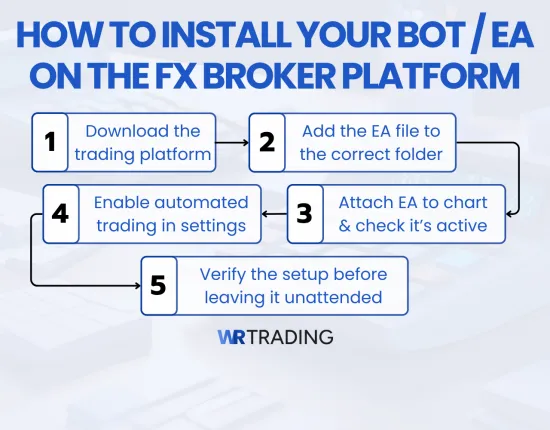
Most brokers that support algo trading do it through MetaTrader 4 or MetaTrader 5, so installation means adding an Expert Advisor to your MetaTrader terminal, enabling automated trading, then attaching the EA to the chart you want it to trade. We’ll provide you with a short step-by-step guide to deploying your EA via MetaTrader, but the process is similar on other platforms as well.
Step 1: Download the broker’s trading platform
Download MT4 or MT5 from your broker’s website or client area, then install it on your computer or VPS. Log in using the trading account credentials provided by the broker, then confirm that you can see live prices and open charts, as the EA cannot operate correctly without an active connection to the trading server.
Step 2: Add the EA file to the correct folder
Open MetaTrader and go to File, then Open Data Folder. Open the MQL4 folder for MT4 or the MQL5 folder for MT5, then open Experts and paste your EA file there, using the correct file type for your platform. Restart MetaTrader or refresh the Navigator panel, so the EA shows up inside the platform.
Step 3: Enable automated trading in platform settings
Open Tools, then Options, then the Expert Advisors tab, and allow automated trading. Check any additional permissions the EA needs, such as DLL imports or web requests, only when the EA requires them, and you trust the source, because these settings change what the EA is allowed to do inside the terminal.
Step 4: Attach the EA to a chart and confirm it is active
Open the chart of the currency pair you want the EA to trade, then drag the EA from Navigator onto the chart. Set the EA inputs, confirm your lot sizing and risk settings, then check the top right corner of the chart for the EA status icon and name. From our research, this is the fastest way to confirm it is running on that chart.
Step 5: Verify the setup before leaving it unattended
Open the Experts and Journal tabs to confirm the EA loaded without errors, then watch it for a short period to make sure it is receiving ticks and responding as expected. Test on a demo account first, then move to a live account only after you confirm that order placement, stop-loss logic, and position sizing behave correctly under your broker’s spreads and execution.
How to Copy Other Trading Bots for Free and Trade Automated
We recommend copy trading on StarTrader through MetaTrader Signals on MT4 or MT5, where you subscribe to a provider and your account mirrors their trades automatically. Open your StarTrader MT4 or MT5 terminal, go to the Signals section, then filter providers by live history length, maximum drawdown, and trade frequency before looking at total return. This is because a high return profile with unstable drawdowns can be hard to copy safely.
After you choose a forex trading bot provider, set the copy settings to control exposure before you activate it. Start by allocating only part of your balance and scaling lot size so copied trades match your account size and leverage, then set an equity stop or similar protection that turns copying off when losses reach a level you are not willing to accept. After completing the settings, click the button to activate the copy trading, and the trades should automatically go through.
What Should You Avoid When Using an Automated Forex Broker System
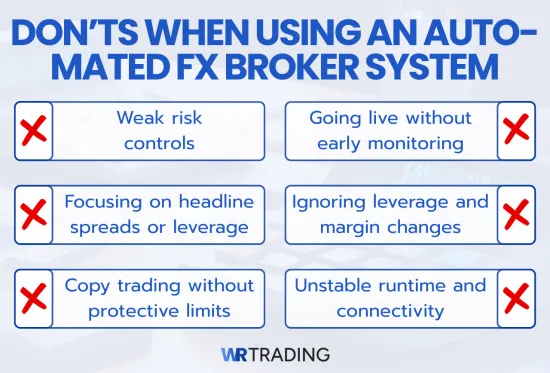
Automated trading can go wrong when broker conditions, platform settings, and risk controls are ignored, even when the entry logic looks solid in testing. Based on our experience, the points below highlight the most common mistakes that often lead to poor execution, unexpected costs, or avoidable drawdowns when running automation through a forex broker.
- Weak risk controls: Automated trading should never run without clear position-sizing rules, hard stop-loss logic, and exposure limits because a small error can scale into a large loss faster than in manual trading. Lot size should match account balance and leverage, and trade count limits help prevent the account from becoming overexposed during choppy periods.
- Going live without early monitoring: Leaving an EA unattended straight after installation can hide problems, such as wrong symbol settings, incorrect lot steps, missing stop placement, or parameters that do not match the intended timeframe. Watching the first trades and checking the Experts and Journal logs helps confirm that entries, exits, and trade management behave as expected under live pricing.
- Focusing only on headline spreads or leverage: A tight minimum spread or very high leverage says little about real costs during active sessions. Commission structure, spread widening, swaps, and execution behaviour during volatility can change the true cost per trade and shift performance away from what your testing suggested.
- Ignoring leverage and margin changes by symbol or equity: Some brokers apply different leverage caps across forex pairs, account types, or equity ranges, and that can change margin requirements without warning. Automated position sizing that assumes one fixed leverage setting can miscalculate risk and open larger or smaller positions than intended.
- Copy trading without protective limits: Copying a provider can feel hands-off, but risk still needs controls such as allocation limits, maximum lot scaling, and an equity stop that disconnects copying at a defined loss level. Provider behaviour on Copy Trading Forex Brokers can change quickly, and a sudden increase in trade frequency or lot size can damage an account without stop rules.
- Unstable runtime and connectivity: Automation depends on a consistent platform connection because disconnects can stop order management actions like trailing stops, break-even rules, or exits. A stable VPS setup and regular checks on platform uptime help prevent trades from being left unmanaged during fast market moves.
Conclusion: StarTrader, Vantage, Deriv Are The Top Solution For Automated Trading
To summarize, StarTrader, Vantage, and Deriv are our top three picks because they offer the strongest combination of automation support, trading conditions, and platform access for running EAs and bot-based setups. Also, you can use a broker’s copy trading platform to allow other users to utilize your trading bots and earn a profit share that can reach up to 50%. Use our expertly reviewed list to match your preferred automation method with the broker that fits your needs.
Automation still needs the same trading knowledge and discipline as manual trading, in our opinion, so results improve when you have a complete understanding of how the trading bot works. Therefore, if you want to improve your trading bot skills with more trading education, guides, and broker reviews are available on WR Trading to expand your knowledge and make better decisions before putting real money behind automation.
Once again, these are the 10 best Forex Brokers for EA Trading:
- StarTrader
- Vantage
- Deriv
- FP Markets
- BlackBull
- RoboForex
- VT Markets
- PU Prime
- Moneta Markets
- Tickmill
FAQ: Frequently Asked Questions on EA Trading Forex Brokers
What Account Type Is Best for EA Trading?
We recommend that a raw spread plus commission account is best for EA trading. The spread stays closer to the market, and the commission remains fixed per lot, making trading costs easier to plan and measure.
How Do Swap Fees Affect Automated Trading?
Swap fees can reduce your results when an EA keeps trades open overnight, as the broker charges a daily holding cost each time the position rolls over to a new day. Some pairs and directions cost more than others, so an EA that holds positions for several days can pay a meaningful amount even when spreads and commissions look low.
Why Should You Look At Average Spreads Instead of Minimum Spreads?
Average spreads give a more realistic cost estimate for EA trading than minimum spreads. Minimum spreads often appear only during quiet periods, while your EA will enter and exit during active sessions when spreads widen. Checking average spreads during your trading hours helps you judge true costs and compare brokers fairly.
What Should You Do When an EA Stops Placing Trades?
Start by making sure the platform is connected and AutoTrading is turned on, as an EA cannot send orders when either is off. Next, open the Experts and Journal tabs and look for the latest error since it usually points to the cause, such as lot size limits or the EA trying to trade a symbol name that does not match the broker. After you fix the issue, keep the platform open and watch the next trade attempt to confirm the EA is running normally again.
What Should You Check Before Choosing a Broker for API Trading?
Check that the broker offers API access you can qualify for and use on your account type. Review the API documentation to confirm it supports the order types you need, has clear limits on request rate, and explains how errors and disconnections are handled. Test the connection on a small account first and confirm you can place, modify, and close orders reliably before using it for live automation.