












1. StarTrader
StarTrader has established itself as a premium forex broker offering institutional-grade trading technology combined with retail accessibility, making it our top choice for mobile forex trading. With over 200+ trading instruments available across their platform, StarTrader delivers comprehensive market access alongside their mobile app excellence.
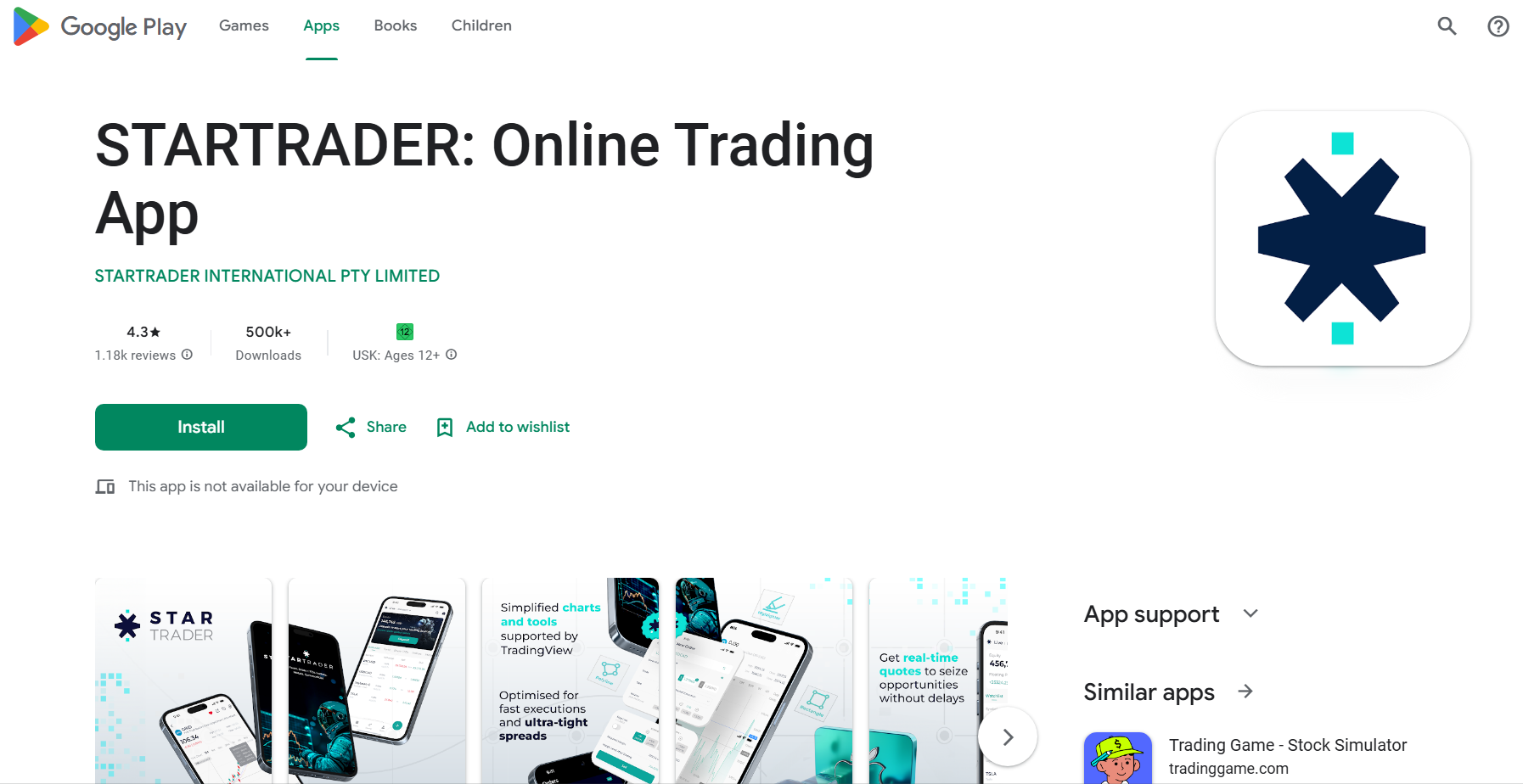
The StarTrader Forex app delivers professional-level execution speeds and advanced analytics while maintaining an intuitive interface that serves both seasoned professionals and serious retail traders effectively. The broker’s execution speed averages under 30 milliseconds, ensuring minimal slippage for time-sensitive trades.
What we like about it is that, while you could say the same about many apps, StarTrader has a great balance that doesn’t deny intense analytics while still allowing you to navigate logically and come back easily to your trades.
| Feature | Details |
|---|---|
| Mobile trading app | Yes |
| Availability | Android and iOS |
| Free download: | Yes |
| Regulation | Regulated by the Securities and Commodities Authority (UAE), Australian Securities and Investments Commission, Financial Conduct Authority (UK), Financial Sector Conduct Authority (South Africa), Financial Services Authority (Seychelles), and Financial Services Commission (Mauritius) |
| Markets offered | Forex, commodities, indices, cryptocurrencies, stocks, CFDs |
| Spreads from | Raw spreads from 0.0 pips on Professional accounts |
| Commissions | $3.50 per side ($7 round turn per lot) |
| Support | Excellent 24/7 support with dedicated account management |
| Other apps | MT4/5, TradingView, proprietary web platform |
Pros of the StarTrader app:
- Institutional-grade execution (the app provides professional-level trade execution with minimal slippage and lightning-fast order processing).
- Advanced analytics (comprehensive market analysis tools and real-time data feeds that rival desktop platforms).
- Premium support (dedicated account management and priority customer service for app users).
- Security excellence (multi-layer security including biometric authentication and advanced encryption).
Cons of the StarTrader app:
- Higher minimum deposit requirements compared to some competitors.
- Advanced features may overwhelm complete beginners to forex trading.
- Premium service comes with slightly higher commission costs.
The StarTrader app is best for serious traders who demand institutional-quality execution and are willing to pay slightly more for premium service and advanced features.
2. PU Prime
We tested PU Prime to establish whether their reputation for sophisticated mobile trading capabilities is justified. The broker gives you trading services for 800 instruments across 6 asset classes, offering extensive market coverage through their mobile platform.
The app combines cutting-edge technology with competitive spreads, making it particularly attractive to traders who require consistent performance across various market conditions. PU Prime offers leverage up to 1:1000 on forex pairs, providing significant flexibility for different trading strategies.
We found the app asked for no compromise against web trading on the platform, and for that reason alone, it’s ranked highly. All in all, they deserve their reputation and our thumbs-up.
| Feature | Details |
|---|---|
| Mobile trading app | Yes |
| Availability | Android and iOS |
| Free download: | Yes |
| Regulation | Regulated by the Australian Securities and Investments Commission, Financial Conduct Authority (UK) |
| Markets offered | Forex, indices, commodities, cryptocurrencies, stocks |
| Spreads from | From 0.0 pips on Raw accounts |
| Commissions | $3.50 per lot per side |
| Support | Premium 24/7 support with multilingual assistance |
| Other apps | MT4/5, PU Prime WebTrader |
Pros of the PU Prime app:
- Premium execution quality (the app delivers consistently reliable trade execution with minimal requotes).
- Competitive spreads (offers some of the tightest spreads in the industry, particularly on major currency pairs).
- Professional interface (sophisticated charting tools and market analysis features designed for serious traders).
- Strong educational support (comprehensive trading resources and market insights).
Cons of the PU Prime app:
- It may be overwhelming for complete beginners because of its advanced feature set.
- Limited customisation options compared to some competitors.
- Requires higher minimum deposits for premium account features.
The PU Prime app is ideal for experienced traders who prioritise execution quality and competitive spreads over beginner-friendly features.
3. Blackbull
BlackBull Markets is a well-known forex broker, often favoured for its competitive spreads and relatively sophisticated trading tools. Their Prime Account delivers an average all-in cost of just 0.76 pips on major forex pairs, making them highly cost-effective for frequent traders.

The BlackBull Markets app is a good blend of user-friendliness and sophistication, designed to cater to traders of all levels, with accessibility and advanced features. The broker offers over 26,000 tradable instruments on its platform, ensuring comprehensive market access through its mobile app.
We rate BlackBull tops in various areas of financial trading and feel the app is a worthy addition to the broker’s offering that maintains its standards of transparent, fair trading.
| Feature | Details |
|---|---|
| Mobile trading app | Yes |
| Availability | Android and iOS |
| Free download: | Yes |
| Regulation | Regulated by the Financial Markets Authority of New Zealand, Financial Services Authority of Seychelles |
| Markets offered | Forex, commodities, indices, cryptocurrencies, stocks, CFDs |
| Spreads from | BlackBull Prime Account is 0.16 (forex), which means an all-in cost of 0.76 |
| Commissions | The Standard Account has no commissions but higher spreads, the Prime Account $3 per side or $6 round turn per lot |
| Support | Good, multiple Support channels, growing library of educational resources |
| Other apps | MT4/5, TradingView |
Pros of the BlackBull Markets app:
- Low spreads (BlackBull Markets offers competitive spreads that traders find extrapolate into lower trading costs).
- Integration (the app integrates well with their desktop platform).
- Strong Support (the app comes with extensive educational resources and great customer support, especially beneficial for new traders).
Cons of the BlackBull Markets app:
- You can’t set price alerts in this app, without using a third-party provider.
- There is no 2-step or biometric authentication built into the app.
- Complexity for beginners (the advanced features can make this an overwhelming forex trading app for beginners-those who are completely new to trading).
The app is best for traders who are looking for a powerful app with advanced features that nonetheless leans into extensive educational resources. Look for the BlackBull Shares Trading app in the App Store or Google Play Store.
4. Vantage Markets
The Vantage Markets app is appreciated by established traders as a versatile trading platform wrapped up in a user-friendly app. With regulatory oversight from 4 major financial authorities including ASIC and FCA, Vantage provides institutional-level security and compliance.

The app supports a range of trading instruments and will give you a smooth trading experience, whether you’re using an Android device or an iPhone. Vantage offers spreads starting from 0.0 pips on their RAW ECN accounts, with commission costs of just $3.00 per lot per side.
We’ve rated Vantage for years because of their overall offering, and the app does the broker justice in carrying over every aspect of their trading experience to mobile users.
| Feature | Details |
|---|---|
| Mobile trading app | Yes |
| Availability | Android and iOS |
| Free download: | Yes |
| Regulation | Vanuatu Financial Services Commission (VFSC), Australian Securities and Investment Commission (ASIC), Financial Sector Conduct Authority (FSCA) of South Africa, Financial Conduct Authority (FCA) in the UK |
| Markets offered | Forex, indices, commodities, cryptocurrencies, stocks and bonds |
| Spreads from | Starts at 0.0 pip for RAW ECN accounts, 1.0 pip for Standard STP accounts |
| Commissions | Raw ECN account holders will pay $3.00 commission per lot per trade |
| Support | Good, 24/7 support,sports an “Education Trading Room” – loads of e-books |
| Other apps | MT4/5, TradingView |
Pros of the Vantage Markets app:
- User-friendly design (the app’s intuitive design makes it easy for both new and experienced traders to navigate).
- Flexibility (the app offers a wide range of trading instruments and you can customize fairly extensively).
- Educational content is pronounced, with tutorials and practice accounts for new traders.
- There is 2-step authentication built into the app.
Cons of the Vantage Markets app:
- You can’t set price alerts in this app without employing a third-party add-on.
- There is 2-step authentication on the app, but no biometrics.
- This app can be a somewhat overwhelming forex trading app for beginners (the extensive features and customization options might be too complex for beginners who are just starting).
The Vantage Markets app is best for (more established) traders who need a flexible platform with a wide range of instruments and customization options.
5. RoboForex
RoboForex is known for its extensive range of trading tools and strong trading performance. The broker offers access to over 12,000 trading instruments, making it one of the most comprehensive platforms for diverse trading strategies.

The app has been designed as an attempt to cater for a broad spectrum of traders, from beginners to more seasoned traders. RoboForex maintains competitive commission rates as low as $2 per lot on ECN accounts, ensuring cost-effective trading for active traders.
That attempt succeeds, as RoboForex has long been an undersung venue for a host of traders for good reason, and its app maintains a great balance of features and options.
| Feature | Details |
|---|---|
| Mobile trading app | Yes |
| Availability | Android and iOS |
| Free download: | Yes |
| Regulation | Regulated by the International Financial Services Commission of Belize (IFSC) |
| Markets offered | Forex, stocks, commodities, indices, cryptocurrencies, ETFs |
| Spreads from | Variable spreads from 1.3 pips |
| Commissions | Vary depending on account type, as low as $2 per lot on ECN accounts |
| Support | Good Support, decent educational resources |
| Other apps: | MT4/5 |
Pros of the R MobileTrader app:
- Comprehensive tools (this app offers a wide range of advanced trading tools and features).
- Educational content (there are extensive resources for both beginners and experienced traders).
- Copy trading (you can leverage the strategies of experienced traders on the RoboForex app).
Cons of the R MobileTrader app:
- Complexity (the advanced features and tools can present an intimidating smorgasbord for those new to forex trading).
App trading on Android or iOS with RoboForex will suit those who want low fees on a well rounded app that nonetheless has both advanced features and copious educational resources.
6. Moneta Markets
Moneta Markets has been widely acknowledged for building an app with intuitive design and strong performance across various devices (it doesn’t matter what platform you’re on-there is no difference in experience). The broker operates under 3 tier-1 regulatory licenses including ASIC and FSCA, ensuring robust investor protection.

The app gives a user-friendly experience with a focus on accessibility and functionality, rather than forcing you to spend time understanding its layout. Moneta Markets offers spreads from 0.0 pips across their Standard, Prime and ECN accounts, with transparent commission structures starting at $3.00 per lot.
We rate it for this ease of use, and also because of its logical layout and choice of features.
| Feature | Details |
|---|---|
| Mobile trading app | Yes |
| Availability | Android and iOS |
| Free download: | Yes |
| Regulation | Australian Securities & Investment Commission (ASIC), Financial Services Conduct Authority (FSCA) of South Africa, Financial Services Authority (FSA) of Seychelles |
| Markets offered | Forex, indices, commodities, cryptocurrencies, ETFs, bonds |
| Spreads from | From 0.0 pips on Standard, Prime and ECN Forex and CFD trading accounts |
| Commissions | On the ECN account it’s $3.00 commission per lot per trade |
| Support | Fair Support service, but mixed reviews online |
| Other apps: | MT4/5 |
Pros of the Moneta Markets app:
- Ease of use (the app’s intuitive design makes it accessible for traders of all experience levels).
- Educational tools (this includes practice accounts and educational materials to help new traders learn.
- Customer Support (the brokerage provides Support to assist you with any issues, but response times can be slow).
Cons of the Moneta Markets app:
- Limited advanced features (the app does lack some of the more advanced tools offered by other platforms).
The app will likely best suit new traders that are looking for a straightforward and user-friendly app that comes with solid educational support.
With that said, many more experienced traders also use the app, very often those who trade on the Moneta Markets platform online, and want to carry their trades into the mobile realm.
7. FP Trading
FP Trading is a well-established forex broker with a reputation for competitive spreads (and a high-quality trading app). The broker is regulated by the FSA (Saint Vincent), the FSRA (Saint Lucia), the FSC (Mauritius), and the FSCA (South Africa), providing multi-jurisdictional oversight and protection.

Their app caters to a range of traders with an extensive feature set and strong support, but it assumes a basic level of trading proficiency. FP Trading offers spreads starting at 0.0 pips on its RAW accounts, with commissions as low as $3 per lot per side, ensuring competitive all-in trading costs.
While perhaps not the simplest app for beginners, we nonetheless feel it’s a great all-around trading platform for multi-level traders once you’ve familiarised yourself with it.
| Feature | Details |
|---|---|
| Mobile trading app | Yes |
| Availability | Android and iOS |
| Free download: | Yes |
| Regulation | FSA (Saint Vincent), FSRA (Saint Lucia), FSC (Mauritius), FSCA (South Africa) |
| Markets offered | Forex, indices, commodities, cryptocurrencies, stocks |
| Spreads from | Variable spreads starting at 0.0 pips on their RAW account |
| Commissions | From $3 per lot per side on RAW accounts |
| Support | Strong Support, great educational resources including trading podcasts |
| Other apps: | MT4/5 |
Pros of the FP Trading app:
- Competitive spreads (FP Trading offers low spreads and competitive trading conditions).
- Strong educational support (they provide extensive resources and practice tools for new traders).
- Reliable performance (the FP Trading app is well known for its stable and reliable performance).
- You’ll get confirmation of successful trades via the app.
- There is no 2-step authentication, but the app does sport biometrics.
Cons of the FP Trading app:
- Complex for beginners (the offered range of advanced features can be challenging for complete beginners).
- You can’t set price alerts in the app.
If you need a reliable app with competitive trading conditions and strong educational support, this would be a good choice.
Rather than cramming all the sophistication that can fit into the app, FP Trading has produced a welcoming, intuitive app that serves a broad spectrum of traders.
8. Pepperstone
Pepperstone is a highly regarded Australian forex broker known for its cutting-edge trading technology and excellent customer support, and its app is designed to offer you a comprehensive trading experience. The broker maintains regulation under 4 major financial authorities including ASIC, FCA, CySEC, and BaFin.

In our experience, the technology that has made the broker’s name as well as the great support is mirrored perfectly in the app.
Pepperstone offers ultra-competitive spreads starting from 0.0 pips on Razor accounts, with commission costs of $3.50 per lot per side, delivering institutional-grade pricing to retail traders.
| Feature | Details |
|---|---|
| Mobile trading app | Yes |
| Availability | Android and iOS |
| Free download: | Yes |
| Regulation | Regulated by the Australian Securities and Investments Commission (ASIC) and the Financial Conduct Authority (FCA) in the UK, Cyprus Securities and Exchange Commission (CySEC), BaFin (Germany) |
| Markets offered | Forex, indices, commodities, CFDs, cryptocurrencies |
| Spreads from | Variable spreads starting at 0.0 pips on Razor accounts |
| Commissions | From $3.50 per lot per side on Razor accounts |
| Support | Good 24/5 Support and a decent educational offering |
| Other apps: | MT4, MT5, cTrader |
Pros of the Pepperstone app:
- Advanced technology (the Aussies have focused on offering cutting-edge trading technology that results in fast execution).
- Great Support (they also try to provide excellent customer support alongside good educational resources).
- User-friendly interface (the app is designed for both experienced and new traders).
Cons of the Pepperstone app:
- Advanced feature bewilderment (some of the advanced features might be too complex for beginners).
- There is no 2-step or biometric authentication built into the app.
A great all-rounder that suits seasoned traders looking for a technologically advanced app.
It’s also definitely a forex trading app for beginners, as newbies will enjoy the strong support and educational resources.
9. IC Markets
IC Markets is recognized for its reliability and success in meeting the needs of all comers. The broker operates under regulation from 3 tier-1 authorities including ASIC and CySEC, ensuring comprehensive regulatory oversight and client fund protection.

We found that the app sports a range of features designed to meet the needs of both new and experienced forex traders, and feel that the brokerage has gone to great lengths to carry over its innate ease of use into its app.
IC Markets provides spreads from 0.0 pips on their True ECN accounts with commissions starting at $3 per lot per side, maintaining their reputation for competitive pricing.
| Feature | Details |
|---|---|
| Mobile trading app | Yes |
| Availability | Android and iOS |
| Free download: | Yes |
| Regulation | Regulated by the Australian Securities and Investments Commission (ASIC), the Cyprus Securities and Exchange Commission (CySEC), Financial Services Authority (FSA) of Seychelles |
| Markets offered | Forex, commodities, indices, cryptocurrencies, stock |
| Spreads from | Variable spreads starting at 0.0 pips on IC Markets’ True ECN account |
| Commissions | From $3 per lot per side on True ECN accounts |
| Support | Good Support, with a decent educational library |
| Other apps: | MT4/5, cTrader |
Pros of the IC Markets app:
- Reliable performance (the app gives stable and reliable trading performance).
- Educational Support (good range of educational tools and practice accounts).
- User-friendly (an intuitive interface that’s suitable for traders of all experience levels).
Cons of the IC Markets app:
- Limited advanced features (some traders might find that this app lacks some of the more advanced tools offered by other platforms).
- There is no 2-step or biometric authentication, and you also cannot set price alerts.
This is a great app if you’re looking for a reliable mobile trading experience, alongside a good balance of advanced features and educational resources-pity about the missing bits.
10. VT Markets
VT Markets is another brokerage recognized for its competitive trading conditions and its comprehensive app features. The broker offers spreads from around 0.2 pips with varying commission structures, including $6 per standard lot on RAW ECN accounts.

Their app is designed to offer a balanced trading experience for both new and experienced traders, being a mix of supportive and some more advanced features. VT Markets operates under dual regulation from ASIC and FSCA, providing robust regulatory protection for traders across multiple jurisdictions.
As a balance of all needed features, we found the app without limits for our strategies and instruments, and it succeeds as a mobile option for a diverse array of traders.
| Feature | Details |
|---|---|
| Feature | Details |
| Mobile trading app | Yes |
| Availability | Android and iOS |
| Free download: | Yes |
| Regulation | Regulated by the Australian Securities and Investments Commission (ASIC), Financial Services Conduct Authority (FSCA) of South Africa |
| Markets offered | Forex, commodities, indices, cryptocurrencies |
| Spreads from | From around 0.2 pips |
| Commissions | Varies by account type; generally included in spreads on Standard Accounts, $6 commissions per standard lot, per round on RAW ECN accounts |
| Support | Strong 24/5 Support and educational materials |
| Other apps: | MT4/5 |
Pros of the VT Markets app:
- Competitive trading conditions (the platform offers low spreads and competitive trading costs).
- User-friendly design (it’s easy to use and navigate, making it suitable for traders of all levels).
- Security and communication (there is 2-step authentication and confirmation of trades).
- Educational Support (the app comes with a decent range of educational resources and practice tools).
Cons of the VT Markets app:
- Limited advanced features (some advanced features might present as less developed when compared to other platforms).
If you’re looking for a trading app that offers competitive fees and unambiguous educational support wrapped up in a user-friendly design, the VT Markets app might be your ideal.
How Did We Choose The Best Forex Trading Apps For This Review?
Three primary considerations determined who we evaluated for this review: usability, available features, and safety.
- Usability implies the ease of use and functionality in trading. Does the app provide the data and tools you need to trade effectively?
- An app’s available features correspond to the point above, and without focusing on specialised traders, most apps today are expected to display all the basic features and more advanced capabilities.
- Safety comes first in smooth operation, the app doesn’t habitually fail in mid-trade, causing you to suffer losses. Butut goes further into 2-step authentication and even biometric control of your mobile app.
- Many of the apps above lack even 2-step authentication. Still, they cut because of the other considerations, and since 2-step authentication is becoming more common, security features are becoming standard on trading apps.
Additional Key Factors:
- Regulatory compliance was paramount in our selection process. We only considered brokers regulated by reputable financial authorities such as ASIC, FCA, CySEC, and other tier-1 regulators, ensuring client fund protection and adherence to strict operational standards.
- Trading fees and spreads significantly impact profitability, so we analyzed commission structures, spread offerings, and any hidden costs. Apps offering competitive pricing without compromising on service quality ranked higher in our evaluation.
- Execution speed and reliability can make or break trading success, particularly for scalpers and day traders. We tested order execution times, slippage rates, and platform stability during high-volatility periods.
- Customer support quality becomes crucial when technical issues arise during active trading. We evaluated response times, support channel availability, and the technical expertise of support teams.
- Educational resources and market analysis tools help traders improve their skills and make informed decisions. Apps with comprehensive learning materials and robust analytical tools received additional consideration.
Many of the apps above lack even 2-step authentication, but they made the cut on the back of other strong considerations, and the fact that 2-step authentication is becoming more common-security features are becoming standard on trading apps.
How To Download A Forex Trading App
Downloading a forex trading app is typically straightforward from the App Store or for Android on Google Play. Most reputable forex brokers offer their apps through official channels to ensure security and authenticity. The method you choose should prioritize safety and compatibility with your device.
The most common and recommended approach is downloading directly from your device’s official app store, which provides automatic updates and security screening. However, some traders prefer alternative methods such as downloading directly from the broker’s website or, in certain regions, using APK files for Android devices.
App Store Download (Recommended)
The safest and most straightforward method is downloading from your device’s official app store – Google Play Store for Android or Apple App Store for iOS. Simply search for your broker’s name (e.g., “StarTrader,” “PU Prime,” or “BlackBull Markets”) and look for the official app with the broker’s verified developer account. This method ensures you receive automatic security updates and the latest features while maintaining compatibility with your device’s operating system.
Broker Homepage Download
Many brokers provide direct download links on their official websites, often featuring QR codes for quick mobile access. This method can be useful when the app isn’t immediately visible in app store searches or when brokers offer special versions with enhanced features. Always ensure you’re on the official broker website (check the URL carefully) before downloading to avoid fraudulent apps that could compromise your trading account.
APK Download (Android only)
Android users can sometimes download APK files directly from broker websites, particularly useful in regions where certain apps aren’t available in the Google Play Store. While this method offers more flexibility, it requires enabling “Unknown Sources” in your Android security settings and carries higher security risks. Only download APK files from verified broker websites, and consider this option only when official app store downloads aren’t available in your jurisdiction.
Steps To Trade With A Forex Trading App
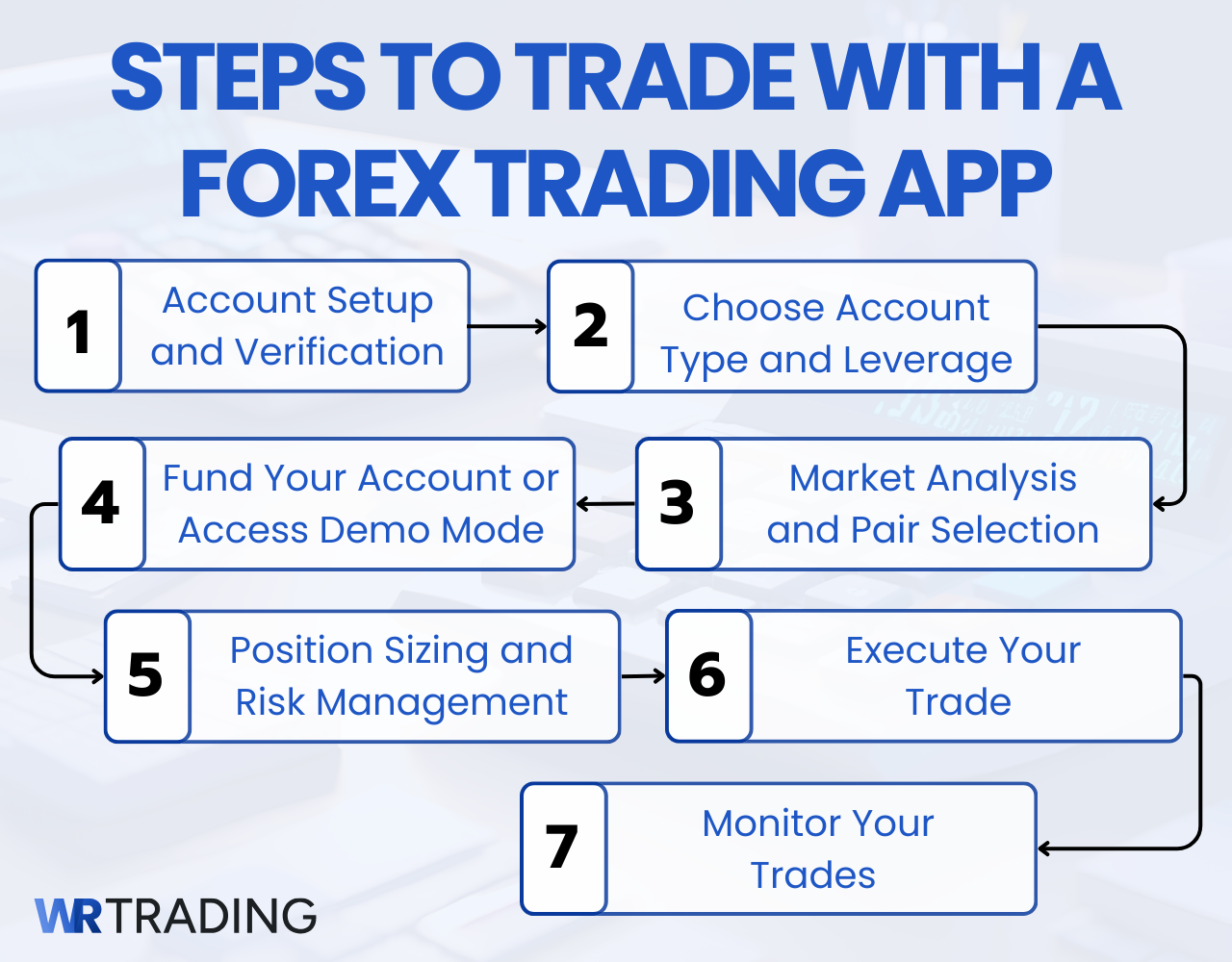
The steps to trading on an app are very similar to desktop trading, with the obvious difference being that you’re on a mobile device. However, mobile trading requires some additional considerations around account setup, funding, and risk management that are particularly important when trading on smaller screens.
Step 1: Account Setup and Verification
Once you’ve chosen your preferred brokerage and established your account, open the app and log in with your trading account credentials. Most apps will require you to complete identity verification before you can begin live trading, which may involve uploading documents directly through the app’s camera function.
Step 2: Choose Account Type and Leverage
Before placing any trades, you’ll need to select your account type (Standard, ECN, or Pro accounts typically offer different spreads and commission structures) and set your preferred leverage ratio. Most apps allow you to adjust leverage settings ranging from 1:1 to 1:500 or higher, depending on your broker and regulatory jurisdiction. Remember that higher leverage amplifies both profits and losses.
Step 3: Fund Your Account or Access Demo Mode
You must either deposit funds into your live trading account or switch to a demo account for practice trading. Live accounts typically require minimum deposits ranging from $10 to $200 depending on your broker, with funding options including credit cards, bank transfers, or e-wallets. Demo accounts provide virtual funds (usually $10,000 to $100,000) for risk-free practice trading with real market conditions.
Step 4: Market Analysis and Pair Selection
With your trading plan firmly in mind, perform market analysis using the app’s built-in charting tools, economic calendar, and market news feeds to determine which currency pairs might offer profitable trading opportunities. Most apps provide technical indicators, drawing tools, and multiple timeframe analysis directly on your mobile screen.
Step 5: Position Sizing and Risk Management
Before entering any trade, calculate your position size based on your risk tolerance (typically 1-3% of account balance per trade). Use the app’s position size calculator if available, and always set stop-loss and take-profit levels before executing your trade to manage risk effectively.
Step 6: Execute Your Trade
Choose the forex pair you’d like to trade, specify your lot size, and go long or short (buy or sell) as market conditions dictate. Most apps offer various order types including market orders, limit orders, and stop orders for more precise trade execution.
Step 7: Monitor and Manage
Monitor your open positions using the app’s portfolio section and be prepared to adjust stop-losses or take partial profits as the trade develops. Close your trade at your predetermined take-profit point or cut losses if the market moves against you. Many apps offer push notifications to alert you of significant price movements or when your orders are filled.
Pros And Cons Of Forex Apps:
Like any innovation, forex trading apps come with both pros and cons.
Forex trading app pros
- Give the ability to trade from anywhere
- Quick trade execution
- Fast Market monitoring
- Instant push notifications
- Streamlined interface for basic forex trading
- Various order types are available
Forex trading app cons
- Complete toolbox most on the browser platform
- A substantial amount of battery power
- Needs a constant internet connection
Which Forex Trading App is the Best for Beginners?
For beginners, the ideal forex trading app should prioritize education, ease of use, and risk management features over advanced technical tools that can overwhelm newcomers. Key factors to consider include comprehensive educational resources, intuitive interface design, demo account availability, low minimum deposits, and responsive customer support. Beginners should also look for apps that offer risk management tools like automatic stop-losses and position size calculators to help protect their capital while learning.

From our comparison, Moneta Markets stands out as particularly beginner-friendly with its intuitive design and straightforward functionality, while BlackBull Markets offers an excellent balance of user-friendliness and educational resources. VT Markets also deserves consideration for beginners due to its competitive trading conditions combined with strong educational support and user-friendly design. These apps provide the essential learning tools and safety features that new traders need without overwhelming them with unnecessary complexity.
Which Forex Trading Apps are the Best for Professionals?
Professional traders require sophisticated execution capabilities, advanced analytical tools, and institutional-grade reliability that can handle high-frequency trading and large position sizes. The most suitable apps for professionals offer lightning-fast execution speeds, comprehensive charting packages, algorithmic trading capabilities, and direct market access with minimal slippage. Professional traders also prioritize platforms that provide extensive customization options, advanced order types, and seamless integration with third-party analysis tools.
- StarTrader tops our list for professional traders, offering institutional-grade technology with premium execution quality and advanced analytics that rival desktop platforms.
- PU Prime follows closely with its focus on execution quality and competitive spreads, making it ideal for traders who prioritize consistent performance.
- Pepperstone also deserves mention for its cutting-edge trading technology and fast execution speeds.
- IC Markets provides reliable performance with advanced features suitable for serious traders who demand professional-grade tools.
Are there Forex Trading Apps that are using AI?
Yes, there are numerous Forex trading apps that use AI technology in 2025. AI trading in forex utilizes artificial intelligence and machine learning algorithms to analyze market data, identify trading opportunities, and execute trades automatically. While legitimate AI integration exists in areas like risk management, market analysis, and execution optimization, the market is unfortunately flooded with fraudulent apps making exaggerated claims about AI-powered trading robots that guarantee profits.
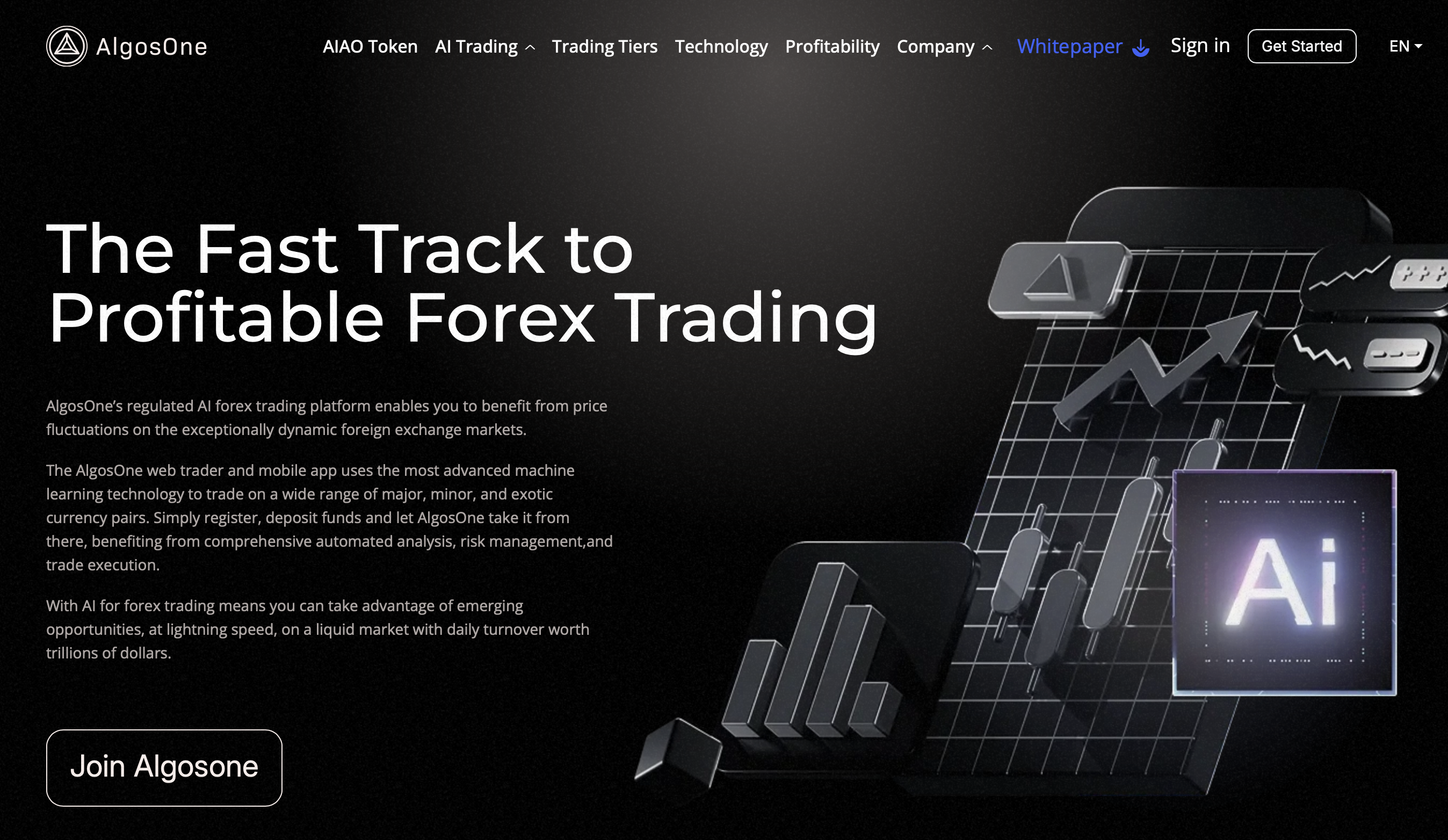
Many scam advertisements promote “AI trading apps” that promise unrealistic returns like “300% profit in 30 days” or “never lose a trade with our AI system.” These fraudulent apps often use fake testimonials, doctored screenshots, and celebrity endorsements to lure unsuspecting traders. The reality is that no AI system can guarantee profits in forex trading, and legitimate brokers are transparent about the risks involved in currency trading.
Reputable brokers like those in our comparison may incorporate AI elements for improving execution speeds, detecting market patterns, or enhancing risk management, but they never promise guaranteed returns.
Always verify that any trading app is regulated by recognized financial authorities and be extremely skeptical of any platform making unrealistic profit claims or requiring large upfront payments for “AI trading systems”.
Which Forex Trading App Is The Best For Copy Trading?
Copy trading has become increasingly popular among forex traders, allowing beginners to replicate the trades of experienced professionals while learning market strategies. The best copy trading apps provide transparent performance statistics of signal providers, comprehensive risk management tools, and the ability to customize copying parameters such as lot sizes and maximum drawdown limits.
Essential features include detailed trader profiles showing historical performance, risk scores, and trading strategies.
- RoboForex excels in copy trading functionality, offering extensive opportunities to leverage strategies from experienced traders through their comprehensive copy trading platform. The app provides detailed statistics on signal providers and allows flexible copying options.
- BlackBull Markets also offers strong copy trading capabilities through their integrated ZuluTrade platform, giving users access to thousands of signal providers with transparent performance metrics.
- Moneta Markets deserves mention for their Percentage Allocation Management Module (PAMM) accounts and proprietary CopyTrader App, which provides a more managed approach to copy trading.
When choosing a copy trading app, always research the track record of signal providers, understand the fee structures involved, and never allocate more than you can afford to lose, as copy trading still carries significant risks despite following successful traders.The key to successful copy trading lies in diversifying across multiple signal providers, understanding their trading strategies, and maintaining realistic expectations about potential returns. Remember that past performance doesn’t guarantee future results, and even the most successful traders can experience losing streaks.
Trading On An FX App vs Trading On a Computer
There are several considerations when contemplating trading via an app or desktop platform. It’s worth noting that traditional wisdom eschewed app trading, although it’s hard to deny that improved smartphones and the predilections of a younger trading generation have offset that somewhat.
| Feature | Trading app | Desktop platforms |
|---|---|---|
| Portability and accessibility | The main advantage of trading apps is that they allow for mobile trading (anywhere/anytime access) | Desktop trading lacks mobility, but is often more conducive to focused trading in a stable environment. |
| Screen size and UX | Desktop screens allow you to view multiple charts and analysis tools side by side, enabling better-informed trades. | Using 2-step authentication and biometric security, but lost devices and mobile-specific malware are still a cause for concern. |
| Reliable performance | Desktop trading gives you a more consistent and stable trading environment. You’ve usually made a Plan B in case the lights go out. | The mobile app’s trump card is that notifications and alerts are instant and noticeable when delivered on your mobile trading app. |
| Alerts and notifications | Desktop trading can lag on notifications, as your ability to get alerts is limited to whether or not you’re sitting at your desk. | Using 2-step authentication and biometric security, lost devices and mobile-specific malware are still a cause for concern. |
| Security | Using 2-step authentication and biometric security, lost devices and mobile-specific malware are still a cause for concern. | Desktops usually trump apps for security, but keylogging malware, phishing attacks, and ransomware issues persist. |
Are Forex Apps Free?
Yes, you can typically download a forex trading app for free, regardless of the brokerage. While the app is free, there are potential costs you need to investigate before making it your default trading option.
- Higher spread costs (you might be subject to slight differences in the bid-ask spreads).
- Payment for Order Flow (PFOF) (free apps sometimes route your trade order to high-frequency trading concerns or market makers, who pay the app provider to execute your trade, while perhaps not giving you the best execution price).
- There’s always the potential for delayed data impact, where real-time data is supplemented with slightly delayed market data. When combined with sometimes limited research tools and a lack of dependable advanced features, this can result in a dip in profitability (as well as simply losing out on profitable trades).
- Cash sweeps (some apps will automatically sweep your uninvested cash into low-yield money market funds or bank accounts, thus earning the brokerage interest or dividends while giving you pennies for the privilege).
- Margin interest (the rates on free apps can be higher on margin accounts, thus significantly increasing the cost of leveraged trading).
- Trading gamification (apps can abuse push notifications or other alerts to encourage you to trade irresponsibly).
Conclusion
Although differences might seem slight, each app highlighted in this article offers unique features that cater to different trading styles and, often, experience levels.
Here’s a quick recap of the top features to consider when choosing a forex trading app:
- Ensure that the app performs capably on Android and ios platforms so your smooth trading experience remains uninterrupted.
- Most traders should opt for apps that offer tutorials, webinars, and market analysis (to help you improve your trading skills).
- Practice accounts (a demo account is an invaluable tool for any trader, and app trading should offer that functionality).
- User reviews (look for high ratings and positive feedback from other users to ensure reliability and performance).
- Customer Support (dependable support is even more essential for addressing issues with app trading).
Once again, these are our top 10 Forex Apps:
- StarTrader – Best Overall Forex Trading App
- PU Prime – Offers premium trading conditions with tight spreads and professional-grade execution
- BlackBull Markets – Well-balanced app offering for both Android and iOS
- Vantage Markets – Flexible app offering a wide range of customisation options and trading instruments
- RoboForex – Another well-rounded app offering that is both potent and yet welcoming
- Moneta Markets – Intuitive design, with straightforward functionality across Android and iOS
- FP Trading – FP Trading’s app offers more experienced traders competitive trading conditions
- Pepperstone – Sleek app that is seen as technologically advanced
- IC Markets – Similar to BlackBull above, this is a balanced app that caters for all comers
- VT Markets – Favoured for its user-friendliness and competitive trading conditions.
Frequently Asked Questions on Forex Trading Apps
Are forex trading apps free to use?
Yes, you can download almost any reputable broker’s app for free. While the app might be free, other trading costs include spreads, commissions, and non-trading fees such as withdrawal or inactivity fees. There can be app-specific costs, and it’s best to ask the platform’s Support direct questions about possible app costs, like “Do you charge a slightly higher spread on the app?” or “Do you cash sweep via the app?”
Can I download an app and trade forex on an Android or ios device?
Most good forex trading apps are designed to be compatible with Android and ios devices, allowing you to trade from any smartphone or tablet. The app can be found on Google Play and the App Store. Cross-platform compatibility ensures you can trade on the go, regardless of your device preference.
What features do I need in a forex trading app?
Look for features like real-time market updates, advanced charting tools, and educational resources. Additionally, ensure the app offers a user-friendly interface and preferably robust security measures (like 2-step authentication). Most worthwhile apps provide demo accounts, invaluable tools for beginners to practice trading without financial risk.
Is it safe to trade forex using a mobile app?
Yes, trading forex using a mobile app is safe if you choose a reputable broker offering a secure app. Look for apps with strong encryption and two-factor authentication to protect your account. It’s wise to read user reviews and check the broker’s regulatory status to ensure they adhere to industry standards.

